HAVE BEEN MISSING
Know what to offer. Before you overpay.
Listing sites show asking. We show the comp data: fair value, a suggested offer range, and real comps. In seconds.
 Example
For the best experience, use the Chrome extension. It checks listings right on the page as you browse.
Get the same verdict on your phone
Check any listing across leading real estate websites and get an independent verdict: fair value and a suggested offer range, right from your pocket. Same verdict, same license key.
On your computer? The Chrome extension is the best Homefairly experience: it checks listings right on the page as you browse. The apps are for quick answers when you're on the go.
Already subscribed? Your license key works in the app, too.
Set up in two minutes.
Add it to Chrome
One click to install. It lives quietly in your browser. Nothing to set up, no account to manage.
Browse freely, check on demand
Open any listing and browse like normal. When you want the read, tap the Homefairly card for an instant verdict. No searching, no copy and paste, and no credit spent until you ask.
Make a confident offer
See if it is fair, what it is really worth, and a smart opening number. Walk in knowing, instead of hoping.
Simple pricing. Check one home or hundreds.
One credit is one property check. Start with 10 checks for only $7, or go unlimited.
Homefairly Credits
- Independent verdict on any listing
- Homes, land, and rentals
- Fair value and suggested offer range
- Re-checks within 60 days are free
Homefairly Agents
- Everything in Pro
- Your branding on client verdicts
- Branded CMA / PDF reports for clients
- Client share codes
- Agent-client portal
- Unlimited installs
- Cancel anytime
Homefairly Pro
- Unlimited checks
- Homes, condos, land, and rentals
- Fair value and suggested offer range
- Market signals on every verdict
- See every comp behind the number
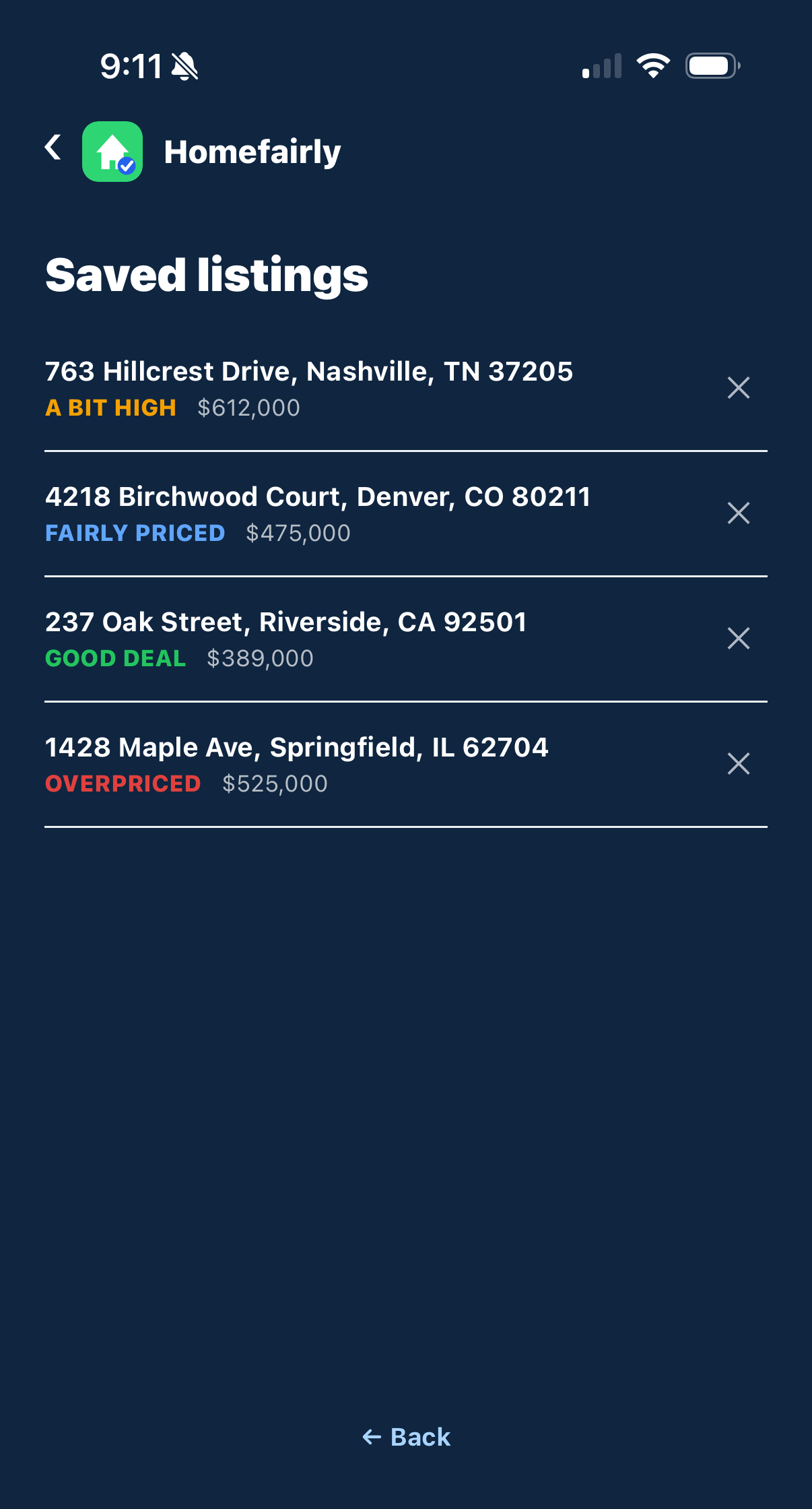
- Unlimited saved listings
- One-click CMA / PDF report
- Cancel anytime
- Credits never expire
- Re-checks within 60 days are free
- Monthly plans cancel anytime
- Secure checkout
Your first home. Your first offer. Make it a smart one.
An independent verdict on any listing, the fair value behind it, and a place to track every home you're watching.
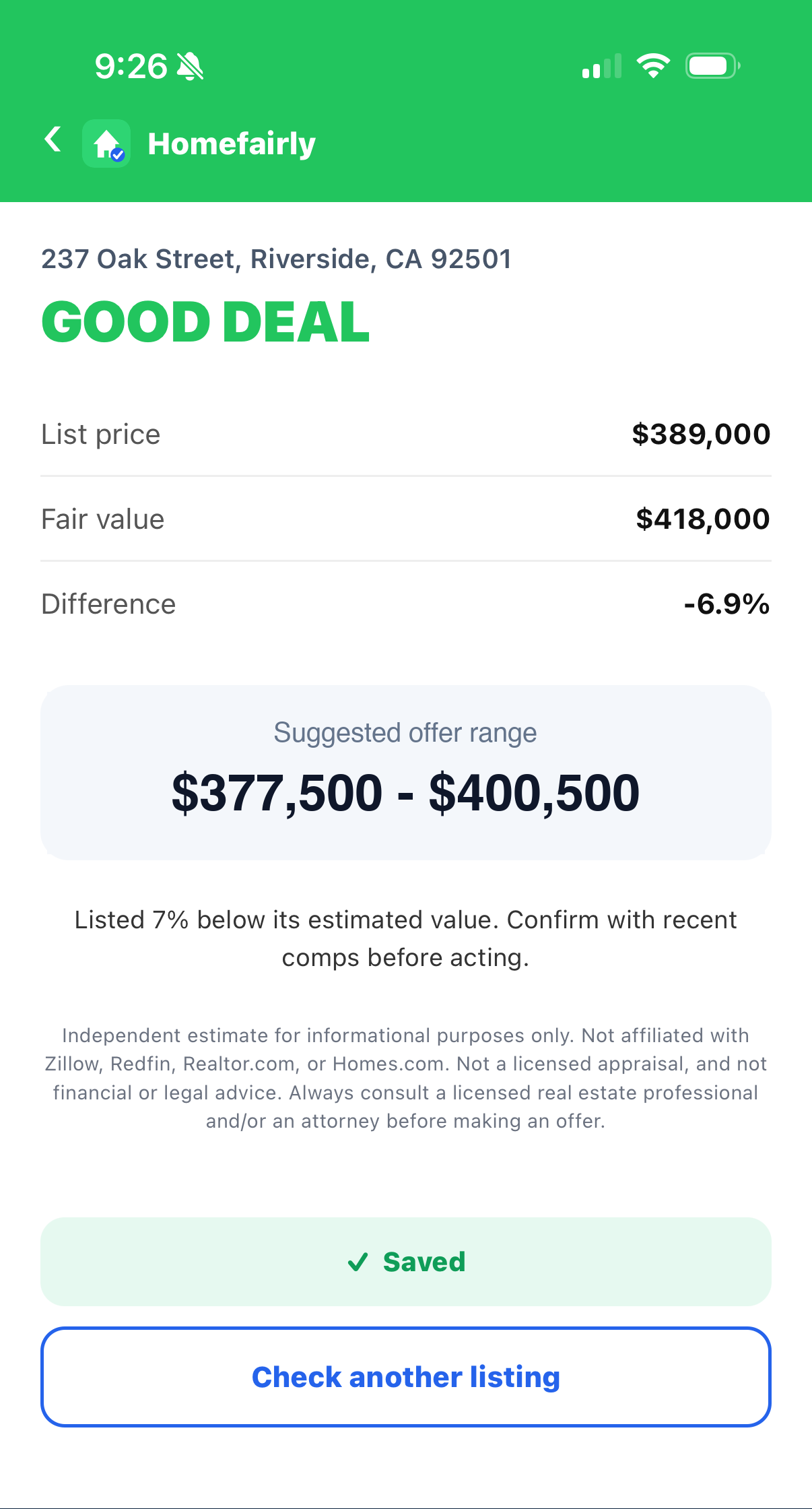
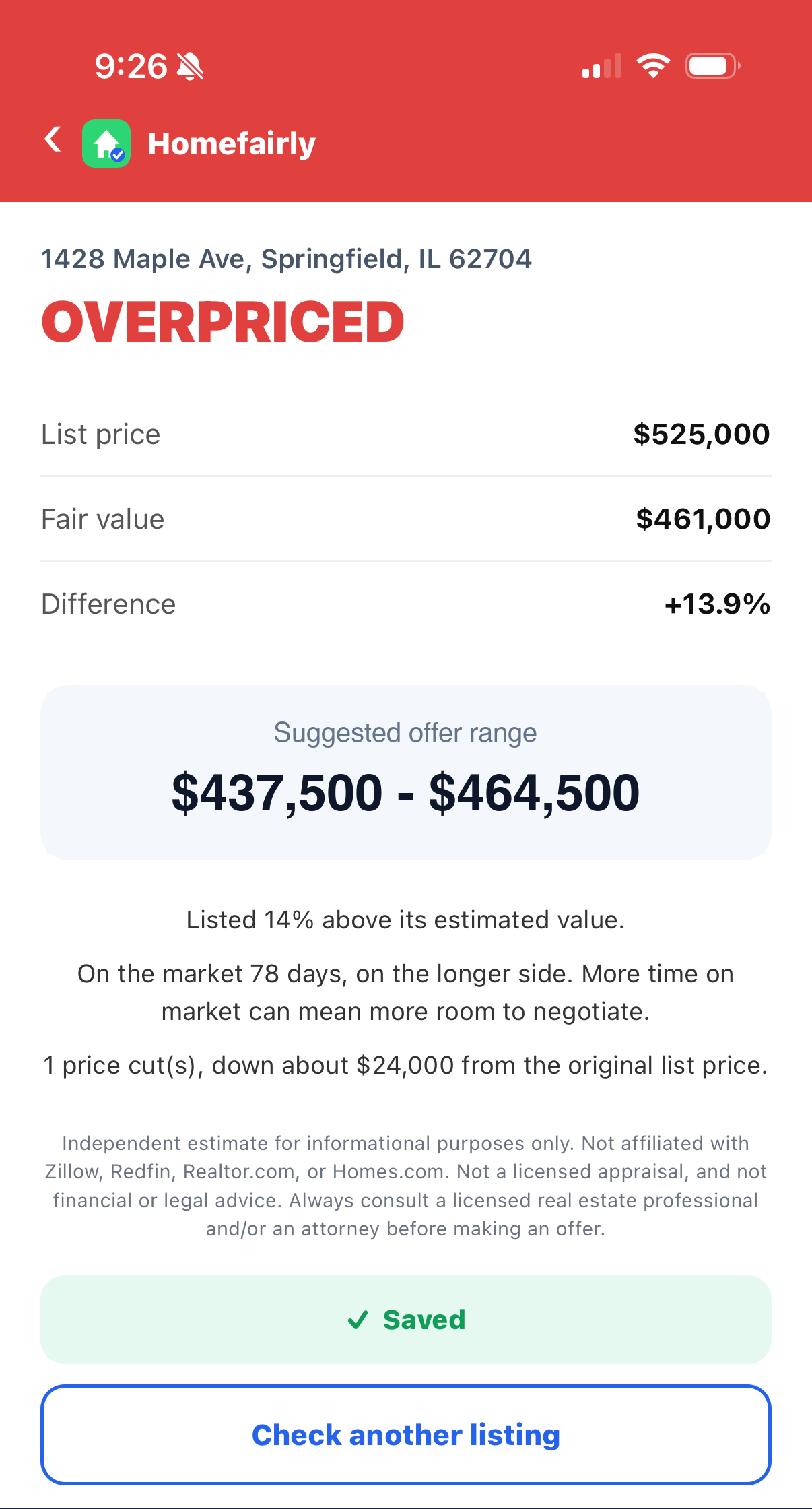
This is the verdict card
An example of what every check returns: the verdict, fair value, a suggested offer range, and the market signals behind it.
Example×Finally, a second opinion that works for the buyer.
Bid with confidence
See in seconds how a listing stacks up against recent comparable sales, before you fall in love with it.
Negotiate with leverage
See price cuts, days on market, and a suggested offer range. Walk into the negotiation with real ammunition.
An independent second opinion
Listing sites profit when you buy. Homefairly does not. You get the straight answer, even when it says walk away.
Check on demand
No data entry, no homework. Browse all you like, then tap once when you want the read. Nothing is spent until you ask, and the answer is right there in plain English.
See the comps behind it
No black box. Open the verdict to see the actual sold homes we used, with address, price, and price per square foot. The full comp list opens on Pro and Agents.
Share it in one tap
Send a friend or your agent the listing and its verdict in one tap. They see the same independent read, no install required.
Sold comps
Homefairly looks at recently sold homes near the listing. These are actual closed sales, not asking prices. What real buyers paid is the most reliable signal of what a home is worth. Open the verdict to see the comps behind it, with the full list on Pro and Agents.
Matched to the home
For homes and condos, Homefairly compares the listing with recent sales of similar homes nearby to arrive at a fair value and a fair range.
Land and lots
For vacant land and lots, Homefairly uses nearby land sales. It also flags zoning, road access, and flood zone status.
Market signals
Price cuts, days on market, and an estimated monthly payment sit right on the verdict, and each estimate shows how recent the comps behind it are. A home that has sat 90 days with two cuts gets a lower suggested offer range. A fresh listing priced at comp value does not.
FAQs
Does Homefairly use AI?
Yes, together with real sales data. Recent sold comparable sales come from a licensed property data provider, and Homefairly and AI do the rest to produce a fair-value estimate with a suggested offer range. The same process runs on every listing, so the verdict is not influenced by who is paying for the analysis. Homefairly is an informational tool, not a licensed appraisal, financial advice, or legal advice.
How do I get it?
You install it in Chrome in one click. From then on it works automatically on any Zillow®, Redfin®, Realtor.com®, Homes.com®, Apartments.com®, Rent.com®, Zumper®, or HotPads® listing you open, sale or rental. Nothing to set up, no account to manage.
Where do the numbers come from?
The tool reads the listing data and compares the price (or rent) against the property's estimated value and market signals like price cuts, time on market, and comparable rentals, then gives an independent verdict and a suggested offer range. It is an independent estimate, not affiliated with Zillow®, Redfin®, Realtor.com®, Homes.com®, Apartments.com®, Rent.com®, Zumper®, or HotPads®.
How does Homefairly decide if a home is overpriced?
It compares the asking price with recent comparable sales near the property to arrive at a fair-value range, then assigns one of four verdicts: good deal, fairly priced, a bit high, or overpriced. It also looks at days on market and any price cuts to suggest an offer range.
How accurate is it?
Homefairly compares the listing price against recent comparable sales and market signals. It is an independent estimate to guide your decision, not a formal appraisal. Always do your own due diligence before you offer.
How is Homefairly different from the Zestimate®?
Listing-site estimates like the Zestimate® are mass-produced models that index every home in the country. Homefairly is built for buyers evaluating a single listing right now: it weighs recent sold comps near that exact property and produces a verdict you can act on, with a fair-value estimate and a suggested offer range. Many homes have a Zestimate® that differs from real fair value by 10% or more.
Does it work for land and lots, not just houses?
Yes. Every plan covers vacant land and lots, valued against nearby land sales, with flags for what moves land value most: zoning, road access, utilities, and flood or wetlands.
What does the plan include?
Independent verdicts, fair value, and a suggested offer range on every listing. Buy Homefairly Credits from only $7, or go unlimited monthly. Cancel anytime.
What if it is not for me?
No contract. If it is not helping, cancel any time. Reach out at [email protected] with any question.
Is my data private?
Homefairly only runs on Zillow®, Redfin®, Realtor.com®, Homes.com®, Apartments.com®, Rent.com®, Zumper®, and HotPads® listing pages. The only data sent to our servers is the property address (used to fetch comparable sales or rental comparables) and your license key. We do not collect your name, email, browsing history, or personal communications.
I subscribed on the web. Can I use it in the mobile app?
On Android, yes. Open the app, tap "Have a license key? Activate it", and enter the key from your welcome email. On iPhone and iPad, Apple requires that any subscription used inside an app be purchased through the App Store, so a web subscription cannot be unlocked in the iOS app. Your web subscription keeps working in the Chrome extension and at homefairly.com/mobile-check. To use the iPhone app, subscribe from the plan screen inside the app.